
I like updates! I like new free updates!
But it’s really frustrating to me, that Windows 10 breaks my work and reboots my PC to install their update/upgrades.
Unfortunately, there is no way to fully stop updating using the Windows interface.
The old hacks are not working since March 2018.
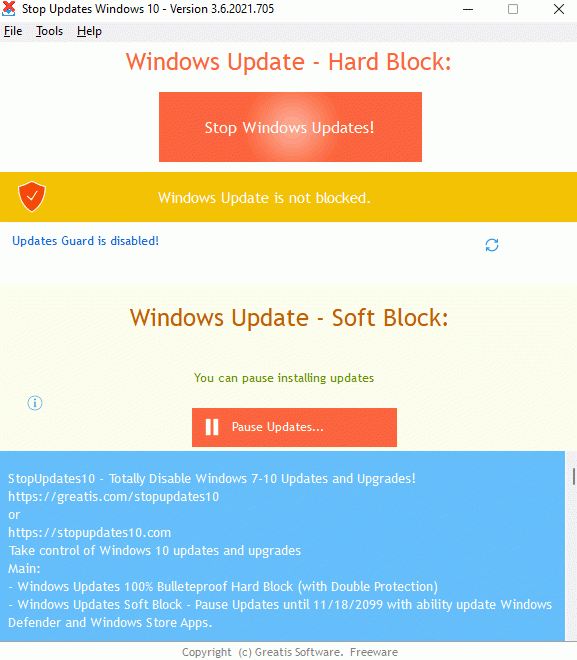
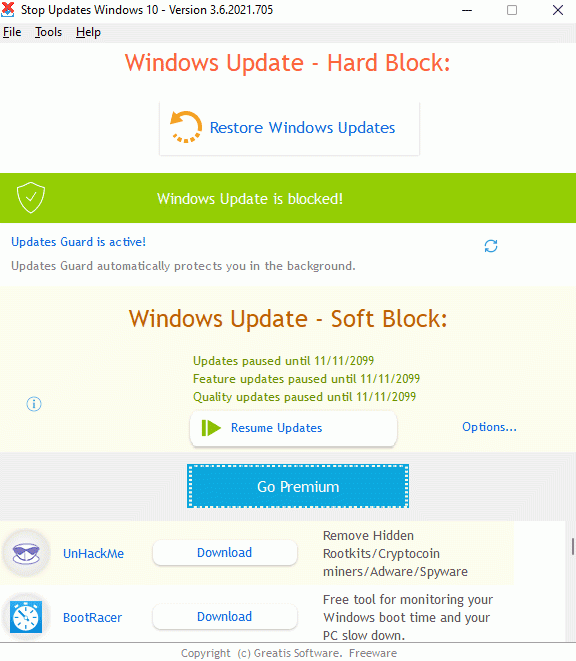
This why I created a small utility StopUpdates10 that gets back control over updates to me.
Features:
1) Stop Windows updates.
2) Stop forced upgrades.
3) Stop annoying upgrade notifications.
4) Easy Undo! Click 'Restore' button to undo all changes.
Freeware (commercial usage is allowed).
Benefits:
More info: greatis.com/blog/stopupdates10
| Téléchargements | 41,570 |
| Téléchargements hebdo. | 304 |
| Editeur | Dmitry Sokolov |
| Par | greatis |
| Créé le | 02 Avril 2018 |
| Dernière mise à jour | 24 Avril 2025 |
| Catégorie | Utilitaires |
| Système d'exploitation | Android |

Les commentaires sont désactivés.
Get Malwarebytes for powerful protection against adware and threats.
Get Malwarebytes Now
Commentaires (1)